Introducing Family Wishlists
Posted on 2026-06-02 by chris
I’d like to introduce you to something that I have been working on: Family Wishlists!
If you already know Christmas Community by [@Wingysam](https://github.com/Wingysam) then you’ll recognize Family Wishlists since it is a fork of that project. Christmas Community solved a real problem elegantly, and this project exists because my wishlisting problem grew beyond one holiday.
Sam, is clearly a busy guy and there were some things that I wanted that application to do that meant that I have been running a modified version for a couple of years now. I think that others could benefit from the changes that I have made, so I am sharing this project with the world.
At its core, the purpose of Family Wishlists remains similar to its inspirational fork: provide a small, lightweight, self-hosted way for families, friends, and small communities to have a shared space to collect gift ideas and pledge items.
So, what’s different about it? Well, a few additional features:
Pledge only users
Multiple lists per user
Private lists
Per-User Themes
Pledge Only Users
For the creation of this feature, we had a rather specific use-case. It was at the end of COVID; my wife and I live overseas with with our two boys. Both mine and my wife’s family are back in the UK where we are both originally from. We weren’t travelling back for Christmas and Birthdays but family and close friends were keen to buy something for the kids, and ideally without sending it half way around the world.
To sort this, my wife and I would find items in local stores and add the items to each of our son’s Wishlists. We wanted extended family to be able to login to the lists that we were hosting, but their didn’t need to have their own lists. From this, “pledge only users” were born.
When a pledge-only user logs in they go to the same list of wishlists page. The only difference is that that they don’t see their own list. Pledge only users can, if they need to be, converted to a “regular” user by an Admin at any point in the future. Equally, a regular user can be converted into a pledge-only users.
Multiple Wishlists Per User
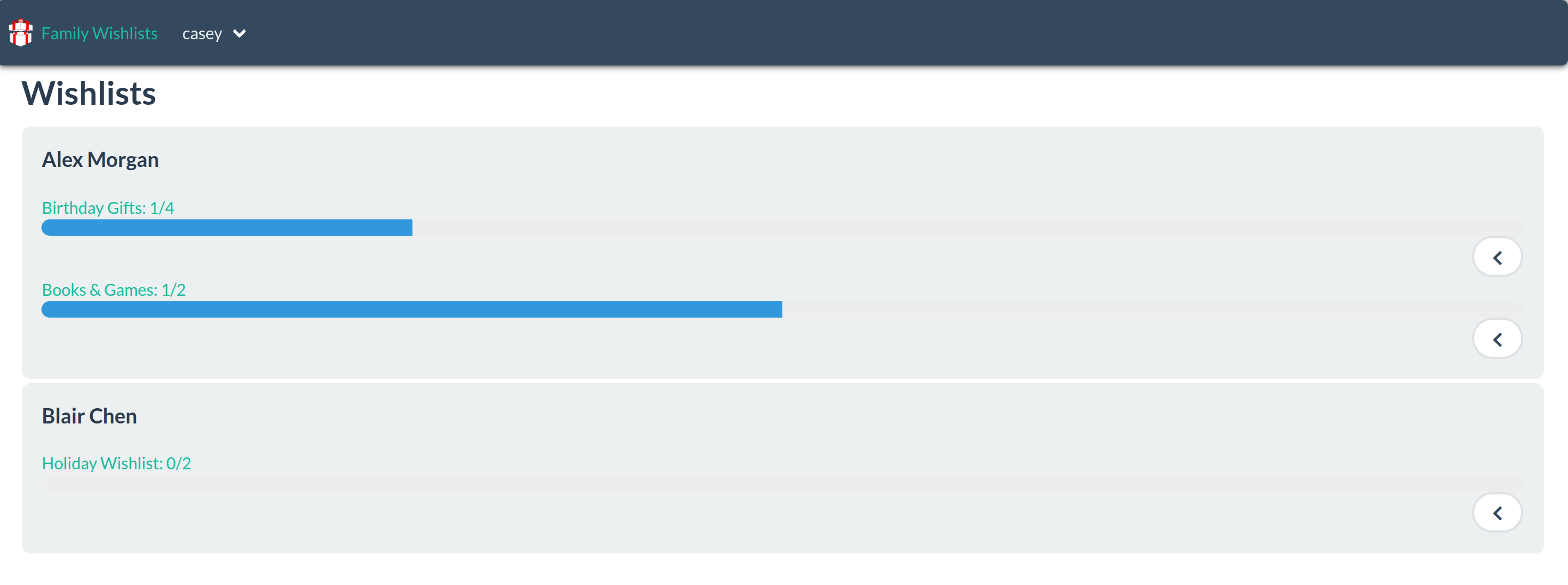
Family Wishlists lets each user maintain more than one list. That means the same person can keep separate lists for different events, audiences, or seasons.
All regular users can create, rename, archive, restore, and delete wishlists. Items can be moved between lists without recreating them, so notes, product data, pledge state, archive state, and item identity are preserved.
The original single-list workflow still matters, and Family Wishlists keeps compatibility in mind. Existing users can still treat the application as one wishlist per person if that is all they need.
Private Lists
Not every list should be visible to everyone. Perhaps its a list that you just your significant other to be able to see. Perhaps you’re still curating your list and you’re not quite ready to share it with the world yet.
Private lists can be limited to the owner, admins, and explicitly allowed users. That makes it possible to run one instance for a broader group without making every wishlist discoverable to every account.
Per-User Themes
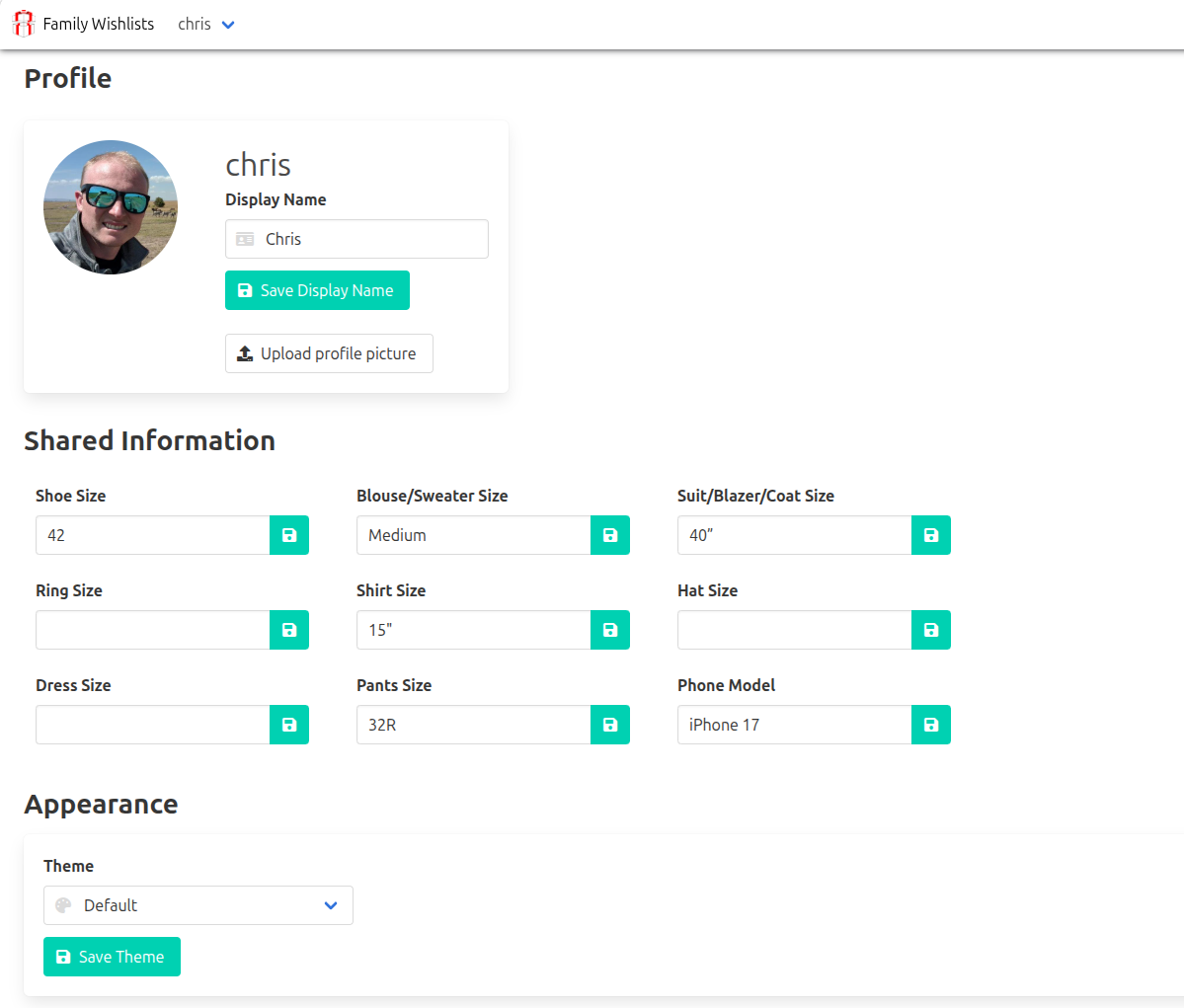
This isn’t functionally huge for a wishlist application, but I know that users having the ability to switch between light mode and dark mode can be quite life-and-death! Previously, the theme of the application was configured server side which meant all users had to have the same look and feel. With Family wishlists, this is now configurable on your user profile. Just like previously, the application supports all of the Bulmaswatch themes.
Who Should Try It?
Family Wishlists is a good fit if:
- You already use Christmas Community and want multiple wishlists or stronger privacy controls.
- You self-host apps for your family or friends.
- You want pledge-based gift planning without a public registry.
- You need private lists for different audiences.
- You want a small app that can run behind your own reverse proxy with persistent local data.
- You want gift planning to work beyond Christmas.
It is also a good fit for small teams, clubs, and friend groups that need the same pattern: people, lists, suggestions, pledges, and privacy.
Try It!
- Repository: github.com/cj13579/family-wishlists
- Installation guide: docs/install.md
- Development guide: docs/develop.md
I’d love to hear what you think. Star it on Github if you like it, raise an issue if you find something bad!